Can't fill your courses? Stressing about low enrollment in your classes? Need to promote a new course? Sure, you could create yet another flyer and post in the hallways.
Or, you could create a video trailer for your course, upload it to YouTube, and share it with the rest of the Millennials via social media. This, of course, would be a great application for one of these new 360 degree video cameras.
Laura Guertin has a nice post over on GeoEd Treck: Course video trailers: Coming soon to a classroom near you.
Example below: First-Year Chemistry by Carleton University.
Showing posts with label video. Show all posts
Showing posts with label video. Show all posts
Friday, April 8, 2016

Saturday, March 19, 2016
Spherical Photos and Videos
Are your students bored with your flipped classroom? Impress them instead with 360 degree videos (example) using the Ricoh THETA series that they can watch on Facebook.
Kathy Schrock offers some nice examples and a simple way to host your spherical panoramic images:
Another option: the Orah 4i by VideoStitch.
Or, try the Samsung Gear 360 and associated hardware and Virtual Reality experience (example):
This is just simply cool: Space X rocket landing as a 360 video.
Kathy Schrock offers some nice examples and a simple way to host your spherical panoramic images:
Times Square in United States - Spherical Image - RICOH THETA
Another option: the Orah 4i by VideoStitch.
Or, try the Samsung Gear 360 and associated hardware and Virtual Reality experience (example):
This is just simply cool: Space X rocket landing as a 360 video.
Monday, November 30, 2015
The Ed-Tech Holiday Gift Guide
Just in case...here are some ed-tech and geography-themed gift ideas, some of which may actually be usable for teaching and learning:
- Are your students bored with your flipped classroom? Impress them with 360 degree videos (example) using the Ricoh Theta series that they can watch on Facebook.
- Turn any smartphone into an infrared camera with the Seek Compact or Compact XR and keep it charged.
- Or, use the visible spectrum better with the Creative Mobile Kit.
- Bored with your lectures, online classes or MOOCs? Experience them as virtual reality (oh...the irony) with the Samsung Gear VR.
- A 3-D printer for every student? Why not with the M3D Micro!
- A computer for every student? Why not with the Kano or the Raspberry Pi Zero (for $5).
- A drone for every student? Why not with the Axis Wallet Drone!
- There must be some use for this in the classroom or lab: The Drop scale and app.
- For the map geek: Circle Maps or Below The Boat.
- Design your own map-based clothing or accessories @ Monochome.
- Design your own map-based wall art @ Woodcut Maps.
 |
| Qori Kalis Glacier (June 2015) |
Wednesday, September 23, 2015
Storytelling with...
There are many great tools and apps out there for digital storytelling - here is a selection that you may find useful:
- Storytelling with Maps - for example Boston Snow 2015, The Garden of Earthly Delights, or The Connecticut River Higher Education Greenway.
- Storytelling with Videos and movies - for example you can create your own animated video with Plotagon, annotate a movie (or book) with SocialBook, or annotate a video with VidBolt.
- Storytelling with Apps - for example Connection - Hollywood Storytelling meets Critical Thinking.
- Storytelling with Infographics - for example using Easel.ly, Canva, or Infogr.am.
- Storytelling with Comic Strips, Church Signs, Memes, or Cartoons.
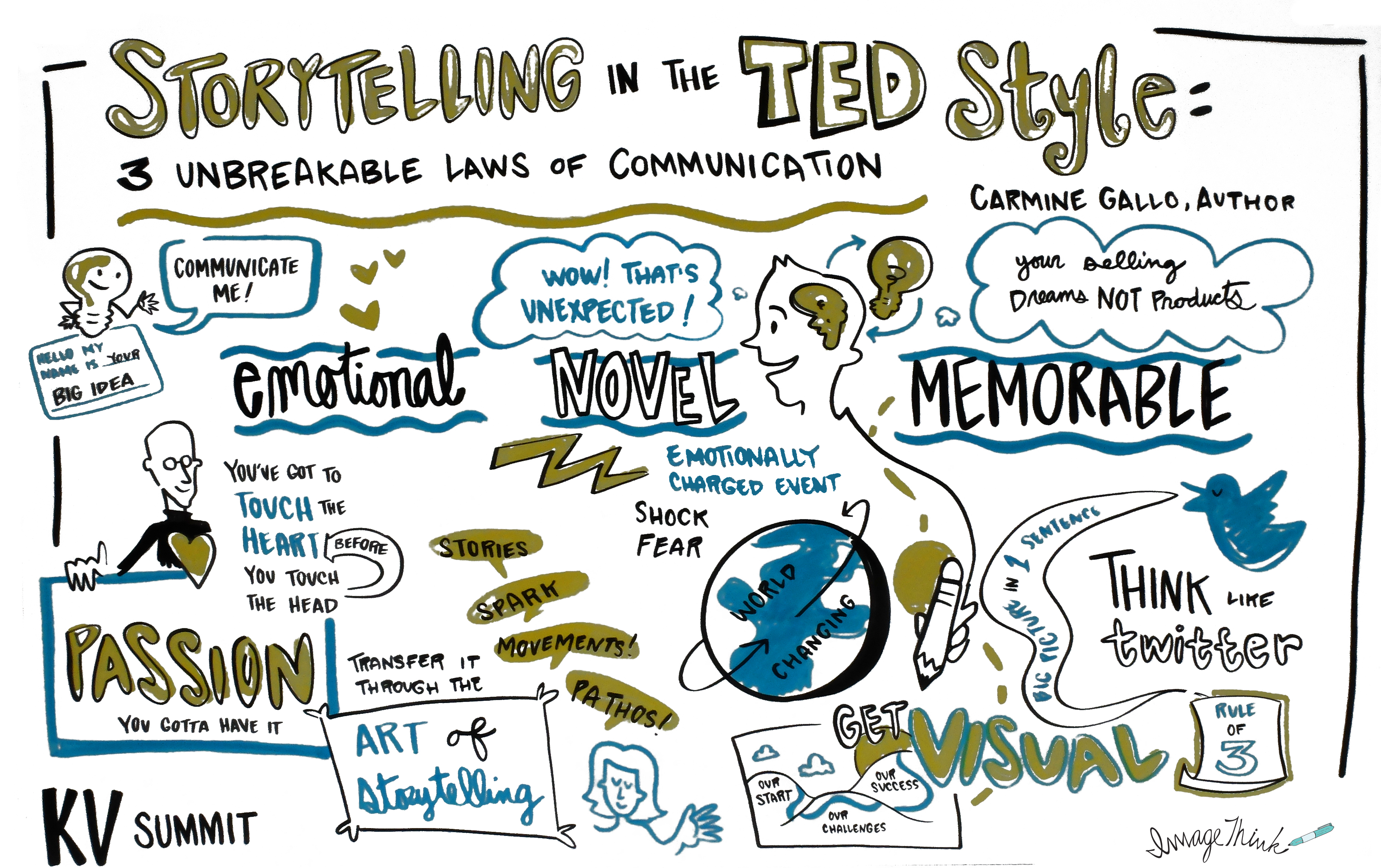 |
| http://www.khoslaventures.com/the-unbreakable-laws-of-storytelling |
Friday, December 12, 2014
The Holiday Gift Guide
Just in case...here are some tech ideas - some of them actually useful for teaching and learning:
- How about an adapter that connects your Mac to whatever TV, monitor, or projector?
- Or maybe the perfect stylus for your tablet or a good charger for all your mobile devices?
- The Kano Computer Kit is a nicely-packaged Raspberry Pi kit with all the accessories you need to get started.
- Maybe a Photojojo lens to clip on your smart phone?
- The Narrative Clip is a tiny automatic camera that you can clip anywhere.
- A bit larger, the Polaroid Cube is a tiny 1080p HD video camera.
- Even cooler: how about the Panono Panoramic Ball Camera?
- Or maybe just a Ladybug 2 Quadcopter?
Finally, how about adopting a glacier from the National Snow and Ice Data Center? Qori Kalis Glacier (see below) is available!
Friday, October 3, 2014
Going Google (Part 7): Docs and Drive
Google Docs and Google Drive have been around for a while now and are quite popular in K-12: you can easily create, share, and collaborate on documents, spreadsheets, presentations, surveys, and drawings. Here are a few features, add-ons, and uses of Docs and Drive that you may find useful:
- Suggested Edits in Google Docs. That's the Google Docs version of the MS Word track changes tool. Here's a quick tutorial from PC World.
- Add-ons for Docs and Sheets. As the name suggests, these are add-ons to add functionality to your Docs and Sheets.
- Flubaroo is a grading tool that connects a simple test created in Google Forms to a Google Sheets response spreadsheet. My sources tell me this is popular in K-12.
- Lucidpress and Lucidchart are like Google Docs, Sheets, and Draw only better. Read more at NCS EdTech News.
- VideoNot.es runs on Google Drive, and allows you to takes notes that are synchronized with the online lecture video you are watching. Great for MOOCs or online classes.
- Google Drive as a very simple web server. You can publish Google Docs to the web using the <iframe> tag and as you update your file the associated web code is automatically-updated. This is much simpler than it sounds - have a look at Using Google Docs to Publish Your CV to the Web or Use Google Drive to Keep Your Online Class Schedule Up-to-Date for easy-to-follow instructions.
Tuesday, September 2, 2014
Annotate Videos!
Okay, annotating content created by other people is nothing new and we do it all the time, for example:
- We use track changes in MS Word or Google Docs for document edits or revisions.
- There are dozens of apps for annotating photos on tablets, for example Skitch.
- We can annotate PDFs on our tablets using iAnnotate or PDF Expert as grading tools.
- We can even annotate PDFs and other online course materials collaboratively using MITs Nota Bene.
But, I always wanted a way to annotate YouTube videos, for example to add questions, provide context, or offer additional explanations. Well, try Vidbolt or VideoANT! ProfHacker has a review of Vidbolt and Jonathan Senchyne explains how he uses Vidbolt in teaching.
 |
| http://blog.lib.umn.edu/tel/blog/2012/03/video-ant-a-video-annotation-t.html |
Screencasting
Here is a simple approach that does not require Jing, Camtasia, or any other additional software:
- Create your lecture or presentation in MS PowerPoint.
- Click on Insert - Audio - Record Audio...and record your audio clip. Move the sound icon into a consistent but unobtrusive corner of the slide.
- Repeat for all slides as needed.
- Save and share the PPT file directly - but that can create issues with software compatibility, especially between different operating systems.
- Better: save as an MP4 file or Windows Media Video file and share - each slide will 'show' as long as your narration lasts and then advance to the next slide.
- Even better: upload your MP4 file to YouTube and share as link or embed into your blog or website.
Or: use Snagit for Google Chrome (video).
Here are Simple Screencasting Tips from Profhacker and Clone Yourself Through Screencasts! from NCS EdTech News.
Here are Simple Screencasting Tips from Profhacker and Clone Yourself Through Screencasts! from NCS EdTech News.
 |
| http://law.niu.edu/taconnections/2010/spring/screencasts.shtml |
Subscribe to:
Posts (Atom)