GradeCraft by the University of Michigan is a learning management system designed to support personalized 'gameful' courses - read more about it over at Wired Campus. The basic idea is to mimic learning as a video game where students chart their own path through the course material and mistakes don't come with any real consequences - you can simply start over and repeat the level.
Showing posts with label assessment. Show all posts
Showing posts with label assessment. Show all posts
Tuesday, December 8, 2015

Sunday, November 1, 2015
The End of Public Education?
Forget PLATO (no, not our PLATO), MOOCs, Sal Khan, iTunes U, or SNHU - this may be the end of public education: Knewton (if it works).
"We think of it like a robot tutor in the sky that can semi-read your mind and figure out what your strengths and weaknesses are, down to the percentile." (Jose Ferreira, CEO Knewton, 13 October 2015/NPR)
Read more about Knewton and the history of automated 'adaptive' learning here: The Algorithmic Future of Education (Audrey Watters, 22 October 2015).
"We think of it like a robot tutor in the sky that can semi-read your mind and figure out what your strengths and weaknesses are, down to the percentile." (Jose Ferreira, CEO Knewton, 13 October 2015/NPR)
Read more about Knewton and the history of automated 'adaptive' learning here: The Algorithmic Future of Education (Audrey Watters, 22 October 2015).
 |
| http://hackeducation.com/2015/10/22/robot-tutors/ |
Wednesday, September 23, 2015
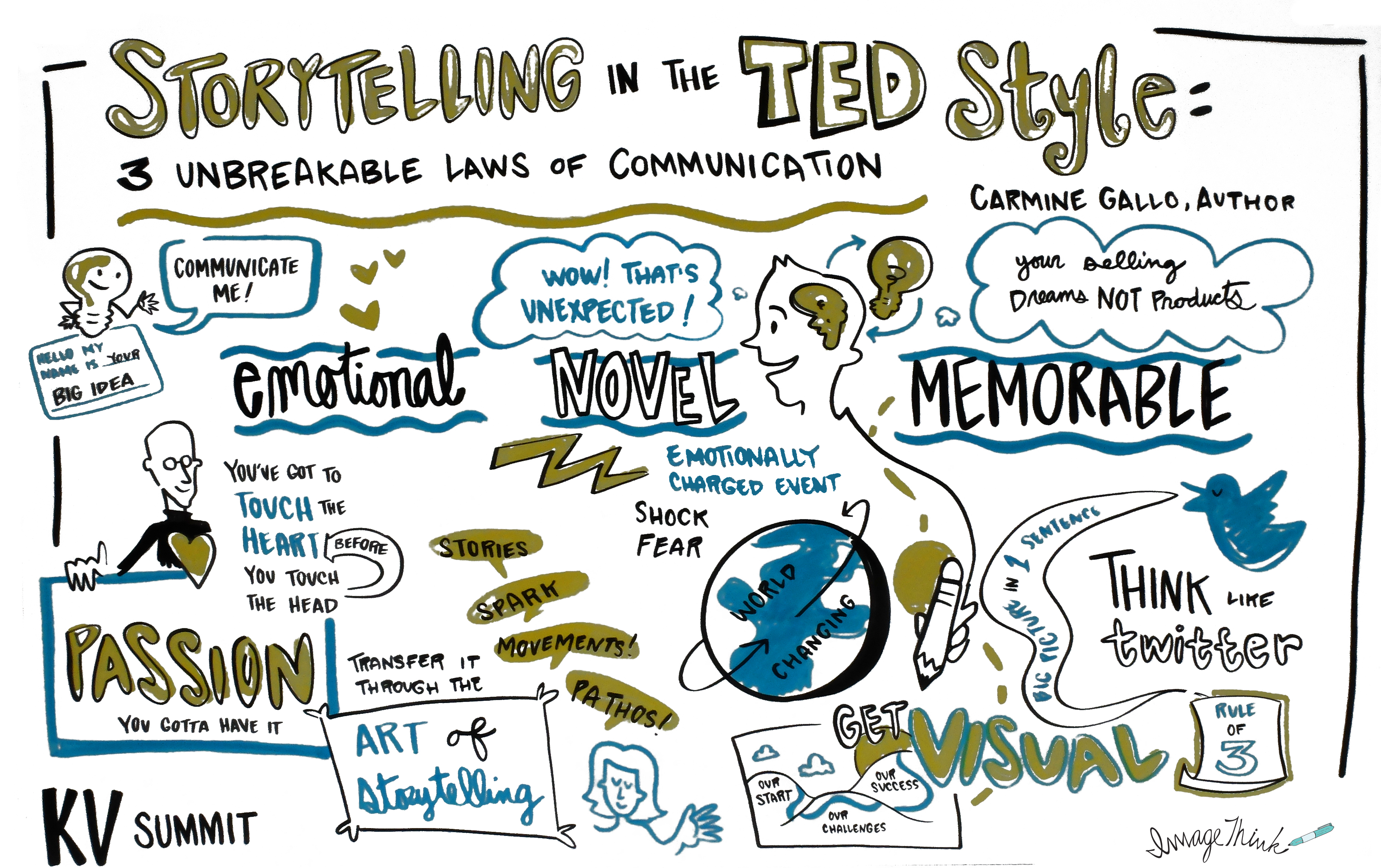
Storytelling with...
There are many great tools and apps out there for digital storytelling - here is a selection that you may find useful:
- Storytelling with Maps - for example Boston Snow 2015, The Garden of Earthly Delights, or The Connecticut River Higher Education Greenway.
- Storytelling with Videos and movies - for example you can create your own animated video with Plotagon, annotate a movie (or book) with SocialBook, or annotate a video with VidBolt.
- Storytelling with Apps - for example Connection - Hollywood Storytelling meets Critical Thinking.
- Storytelling with Infographics - for example using Easel.ly, Canva, or Infogr.am.
- Storytelling with Comic Strips, Church Signs, Memes, or Cartoons.
 |
| http://www.khoslaventures.com/the-unbreakable-laws-of-storytelling |
Friday, December 5, 2014
Your Digital Stuff
You create a lot of digital stuff as a teacher: lesson plans, lectures, screencasts, activities, handouts, tutorials, videos, and more. How do you a) store all of this and b) how do you share it (if you want to) with the rest of the world?
Many of us hide our digital stuff on PLATO or myWestfield behind a user name and password. But what happens if you leave or get fired? Or if you apply for another job and want to show-off your work? Consider your web presence as a tool for academic networking, self-promotion, and a way to remain active in your discipline (cf. Wilson and Starkweather, 2014).
Students are faced with similar issues: their digital work is scattered across USB drives, hidden in dozens of PLATO course shells, and now inside a proprietary e Portfolio assessment system.
Here are some alternatives:
Many of us hide our digital stuff on PLATO or myWestfield behind a user name and password. But what happens if you leave or get fired? Or if you apply for another job and want to show-off your work? Consider your web presence as a tool for academic networking, self-promotion, and a way to remain active in your discipline (cf. Wilson and Starkweather, 2014).
Students are faced with similar issues: their digital work is scattered across USB drives, hidden in dozens of PLATO course shells, and now inside a proprietary e Portfolio assessment system.
Here are some alternatives:
- Upload everything to www.westfield.ma.edu.
- Upload everything to free commercial websites (example).
- Upload everything to an Open Education Resource (OER) (example).
- Upload everything to your own website (example) using, for example, Reclaim Hosting and then use DWNLD to convert the website into a smartphone app (for $15 per month).
Or, maybe Westfield State can provide a solution?
Consider the A Domain of One's Own project at the University of Mary Washington or Internet2 approach of creating collaborative clouds.
Consider the A Domain of One's Own project at the University of Mary Washington or Internet2 approach of creating collaborative clouds.
Friday, November 7, 2014
iPad Teaching (Part 2): Attendance and Grading
Buying apps might not be something you are willing to do...but here are two apps to consider:
Attendance 2 ($4.99) is very popular and why not: if you a) take attendance and b) have an iPad then c) why not use the iPad for taking attendance! Read more about it over on Profhacker.
Going a step further is GradeBook Pro ($9.99) - a very popular classroom management app to keep track of student assessments. Read more about it over on Profhacker or here.
Attendance 2 ($4.99) is very popular and why not: if you a) take attendance and b) have an iPad then c) why not use the iPad for taking attendance! Read more about it over on Profhacker.
Going a step further is GradeBook Pro ($9.99) - a very popular classroom management app to keep track of student assessments. Read more about it over on Profhacker or here.
Sunday, November 2, 2014
iPad Teaching (Part 1): Paperless Grading
You have a tablet, you have some type of cloud-based file storage (Google Drive, Dropbox, etc.) and now all you need are some apps to start paperless grading while at your favorite coffee shop.
iAnnotate seems to be a popular choice for annotating PDFs (or MS Word, MS PPT, images, etc.) and syncs with Google Drive, Dropbox, etc. so you don’t have to download any files to your tablet. The Stamp feature is especially useful and you can create your own Stamps such as Example! Details!
A Guided Tour of NB from Sacha Zyto on Vimeo.
iAnnotate seems to be a popular choice for annotating PDFs (or MS Word, MS PPT, images, etc.) and syncs with Google Drive, Dropbox, etc. so you don’t have to download any files to your tablet. The Stamp feature is especially useful and you can create your own Stamps such as Example! Details!
- Using iAnnotate as a Grading Tool (ProfHacker)
- iAnnotate in a Composition Class
- Making the Most of iAnnotate on the iPad (ProfHacker)
- Mark Up PDFs on Your iPad: iAnnotate PDF (ProfHacker)
A Guided Tour of NB from Sacha Zyto on Vimeo.
Wednesday, October 8, 2014
Going Google (Part 8): Grading
According to my sources this is quite popular in K-12: grading using Google Docs/Drive and some extensions or scripts - here are some of the more popular options:
- Grading papers with Google Forms. Andrew Cullison shares his system for using Google Forms as a grading rubric and the grades are automatically calculated in the associated spreadsheet - clever!
- Quick grading with Flubaroo. This is an add-on for Google Sheets to auto-grade tests created in Google Forms. This is much easier than it sounds - here's a nice tutorial.
- Doctopus and Goobric. Doctopus creates the spreadsheet and Goobric attaches the rubric. Sounds weird, but works great.
 |
| http://techedonline.org/wp-content/uploads/2011/09/flubaroo-570x400.jpg |
Tuesday, September 30, 2014
Going Google (Part 6): Chrome
Chrome is just a browser, but there are tons of interesting apps and tools for Chrome in terms of teaching and learning. Here are a few compilations:
- Powerful Chrome Apps (NCS EdTech News 30 October 2013)
- Chrome is the New Black (NCS EdTech News, 7 April 2014)
- Chrome Apps, Tools, and Extensions

Friday, September 26, 2014
Going Google (Part 3): ePortfolios
Online or ePortfolios are getting more and more popular in Higher Education as assessments tools (see, for example, Chang et al., 2014). But, how do you implement this? LiveText is our 'official' portfolio system, but that forces students into an expensive commercial (and proprietary) system.
There are many options for creating a free and public web presence (Wordpress, Weebly, Google Sites, etc.) and share whatever you want with the rest of the world, including academic materials. I personally like the combination of Google Blogger and Google Drive: students use Google Blogger as their ePortfolio and link to files, content, and media stored on their Google Drive.
Here's a simple tutorial I created for our students - feel free to use and edit it as you like.
There are many options for creating a free and public web presence (Wordpress, Weebly, Google Sites, etc.) and share whatever you want with the rest of the world, including academic materials. I personally like the combination of Google Blogger and Google Drive: students use Google Blogger as their ePortfolio and link to files, content, and media stored on their Google Drive.
Here's a simple tutorial I created for our students - feel free to use and edit it as you like.
Subscribe to:
Posts (Atom)